
On the homepage of my website, I describe myself as a “computer science PhD student”. That’s because I am. But I have a confession to make to you:
I don’t know much about computers.
Let me explain.
I am a data scientist and a programmer: I write code, I play with data, I use this thing you might have heard of called artificial intelligence. But until last month, I only had the haziest idea of what was actually happening inside the physical machine.
That was until my computer stopped working.
The Victim
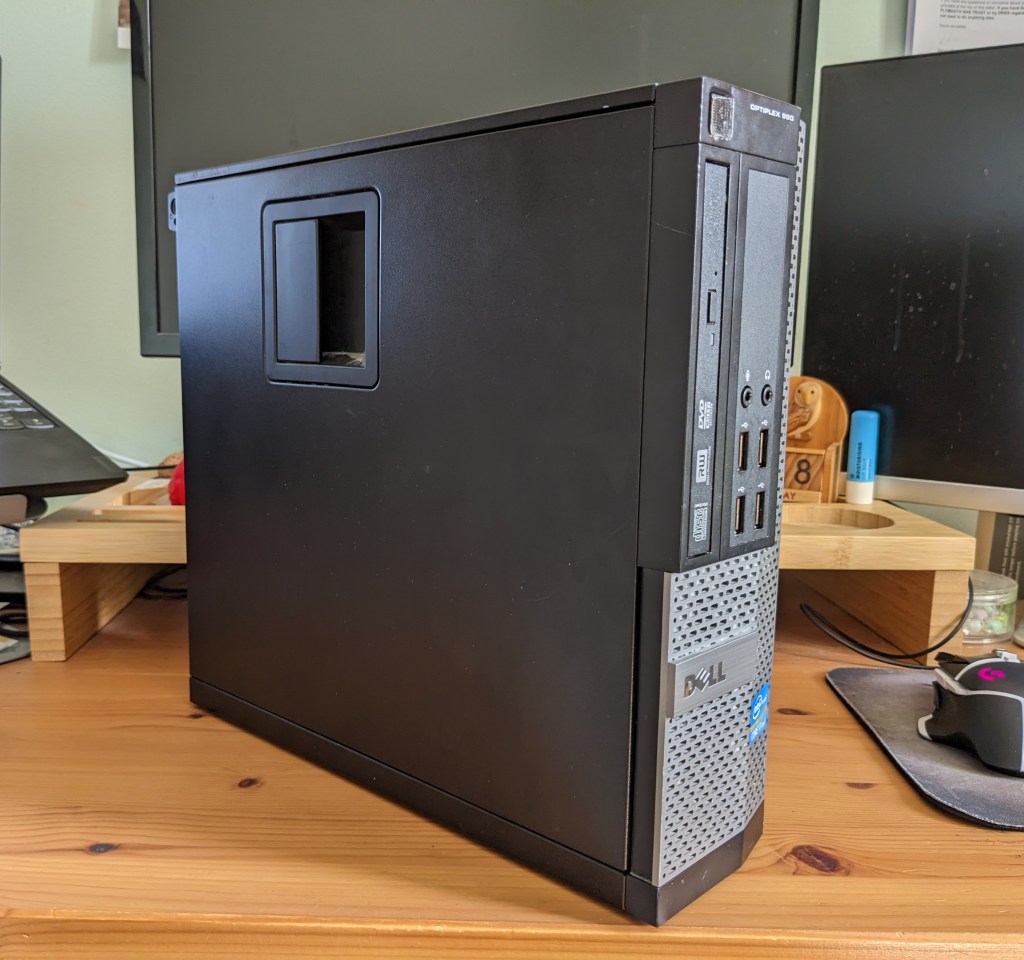
Meet the victim. This is my desktop machine, also known as Terra (all the computers in our house are named after planets). Terra is a Dell Optiplex 990, given to me by my dad. It worked happily for several years.
The Murder
It was a drizzly evening in April when I sat down at my desk as normal, and reached over to press Terra’s power button. But on this occasion, there was a notable absence of response. No reassuring hum, no flicker of lights to greet me. Surprised, I pressed the button again. Still nothing. Out of panic rather than hope, I jabbed the button a third time. Terra remained stubbornly lifeless.
Suspect 1: The Power Cable
Fortunately, dead computers stand a chance of being resurrected, so I determinedly began my investigations. The most obvious suspect, and easiest to eliminate, was the one external one: the power cable that connects Terra to the mains. I hurried this along to another machine to test it out. The machine booted up with no problems at all.
Suspect 2: The PSU
Realising that the culprit was therefore internal, I sighed, rolled up my sleeves, equipped myself with screwdrivers, and opened Terra up for a post-mortem.
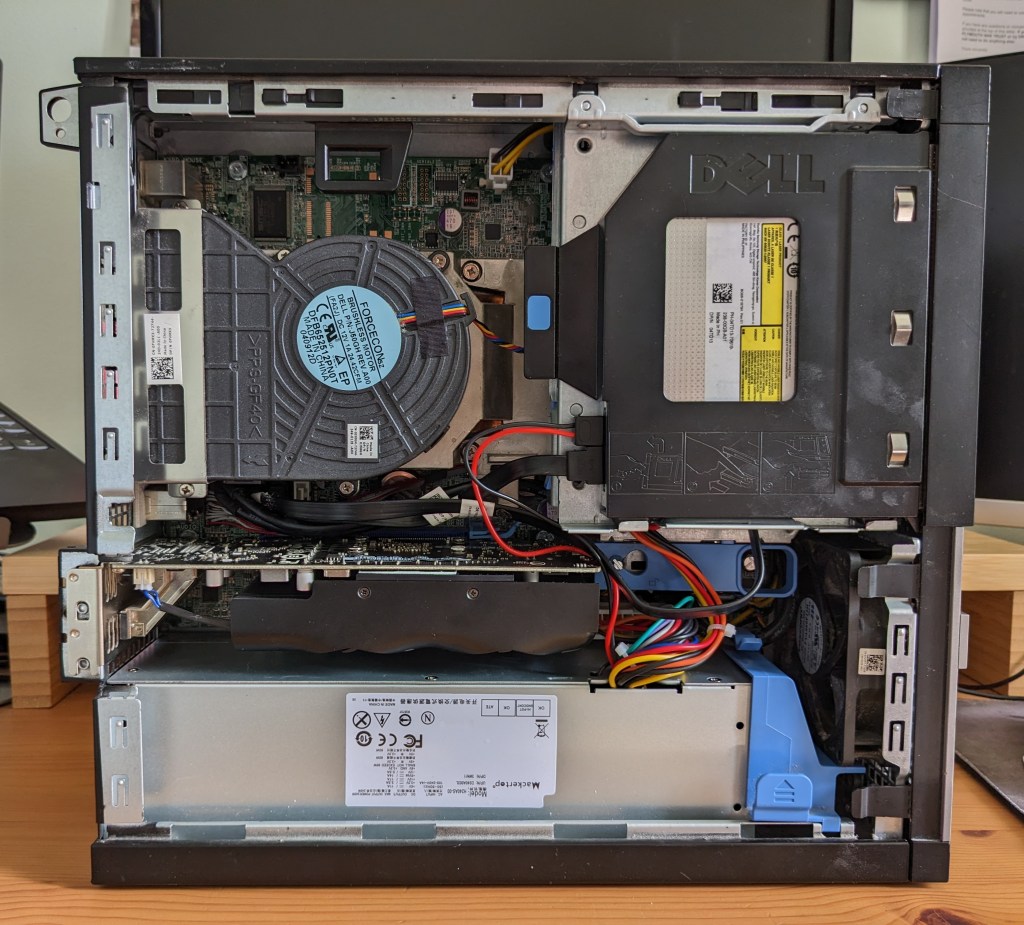
The long silver block you see at the bottom of the photo is the PSU – the Power Supply Unit. This does exactly what it says on the tin. It takes the mains power and supplies it to the other components in the computer. Having visually inspected the rest of the machine and not seen anything obviously amiss, I became sure that this must be the culprit.
Confidently I ordered a matching new PSU, finagled the old one out, put the new one in, and consigned the accused to the bin. I plugged Terra back in, and… hey presto! It worked once more! I had a little celebratory dance. I continued to use the machine for the next hour with no issues.
I had found my culprit – a happy ending for this detective!
…
Or was it?
The Second Murder
A few days later I went to turn Terra on again, for the first time since the successful revival. Nothing happened. In disbelief, I pressed the button again. Nothing. I pummelled the button with an angry index finger. Obviously, nothing.
Suspect 3: The Connections
I was in unknown territory now. All the advice online pointed to power issues being related to the PSU – but I had already swapped that out for a brand new part. I discovered that this had a test button on it – which allowed me to absolutely confirm that the unit was receiving power, and was successfully supplying power to the fan (which keeps everything cool). What was the next obvious suspect? I came up with an unlikely, but possible, new theory.
If you look at that photo again, you’ll see that there are lots of different connecting cables between components. Most are connected to the PSU (for power) and the motherboard. The motherboard is the green circuit board you see behind all the other components. It connects everything together and allows all of the components to communicate.
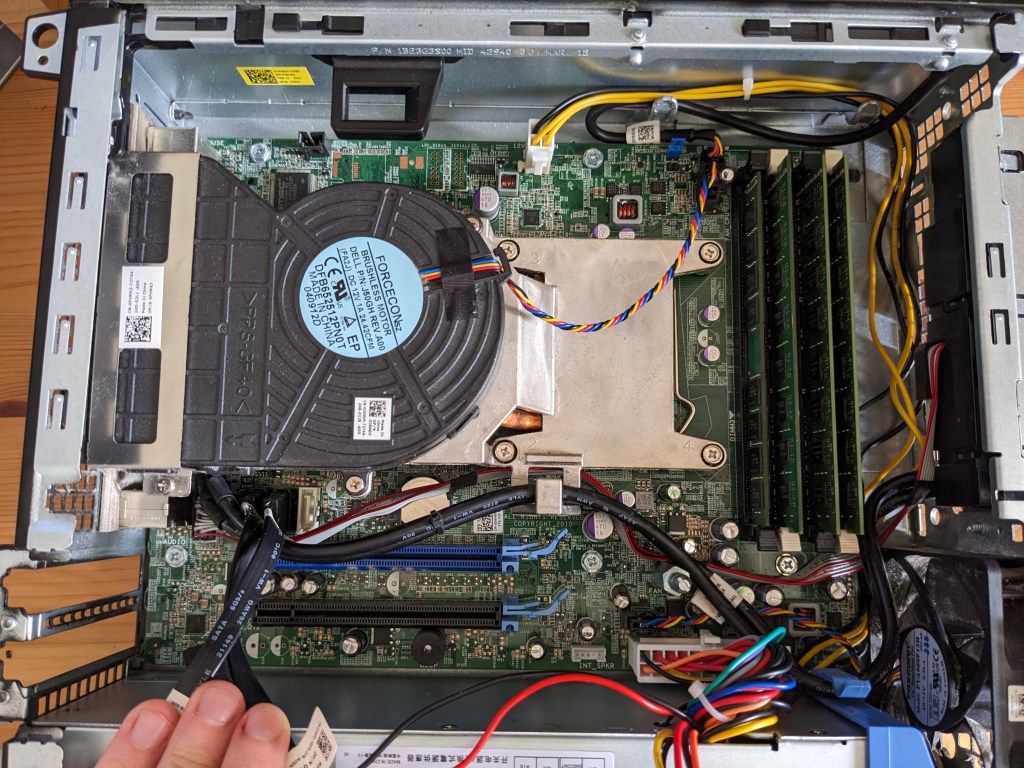
My new theory was that when I replaced the PSU (which required removing and then restoring a lot of parts), I might have reconnected something that had come loose. This vulnerable connection might then have worked its way loose again in the following days. Or the old PSU might actually have been defunct, and something had come loose since my clumsy fiddling.
So I sighed, rolled up my sleeves, equipped myself with screwdrivers, and opened Terra up. Again. I disconnected and reconnected everything. Then I plugged it into the mains, and pressed the button, with little optimism. This was justified. Terra was resolutely silent.
Suspects 4, 5 and 6: The graphics card, the solid state drive and the optical disc drive
Stumped, I wailed my problems to a techie friend, who suggested a new possibility. He knew that I have a graphics card which requires quite a lot of power. What if my particular PSU wasn’t able to cope with the demands of the graphics card?

The graphics card is mainly comprised of a GPU – Graphics Processing Unit – which, again, does what it says on the tin. It processes the images that you see on the screen. Every computer has a GPU, but often they are integrated into the CPU – the central processing unit, which executes instructions. A graphics card is separate and has a more powerful GPU. A lot of people would use a graphics card for gaming – but it turns out they’re also fantastic for working with AI (because of all the powerful processing they can do), which is why my dad kitted me out with one.
While I was disconnecting the graphics card, I thought I might as well try removing two other components that were wired into the PSU (to see if these were causing any upset): the solid state drive and the disk drive.

The solid state drive is a storage device, and it’s called “solid state” because it doesn’t have any moving parts (unlike the more traditional hard disk drives). This is where the file system resides.
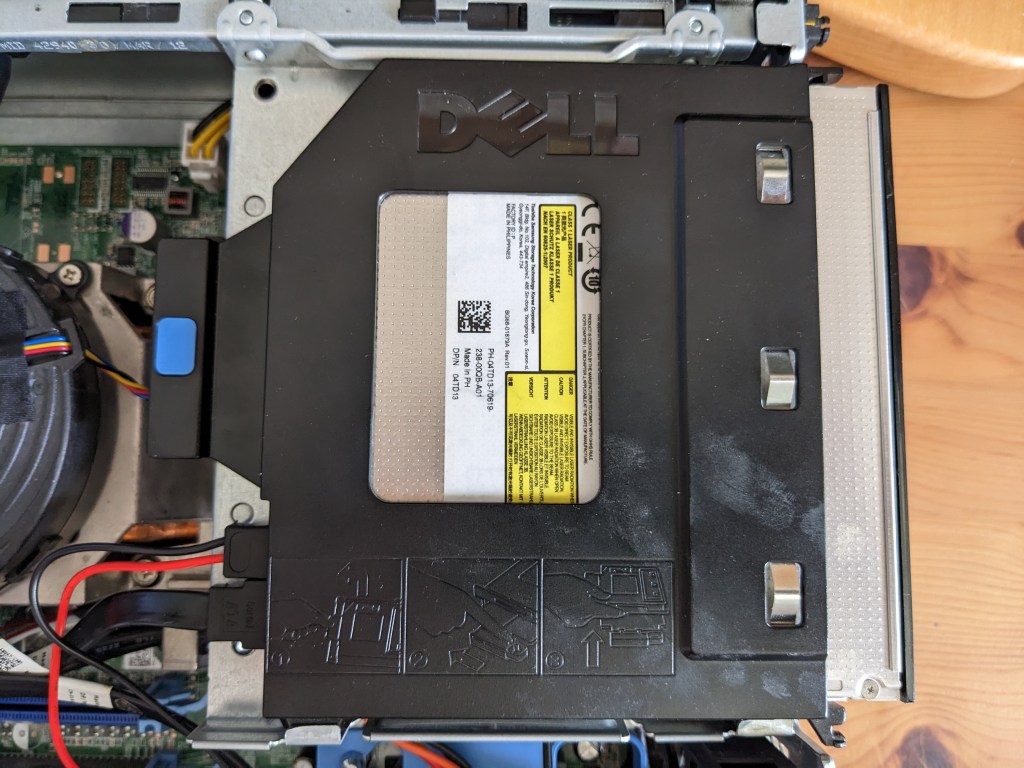
The optical disc drive can read/write data to/from optical media (like CDs, DVDs and Blu-rays). It’s where you would insert a disc.
So, I tried unplugging these, to see if that would allow Terra to power on. Alas, it did not.
Suspect 7: RAM
By this point I was getting pretty desperate. I felt like I’d tried everything. I searched and searched online, and someone hinted that poorly seated RAM might cause issues.

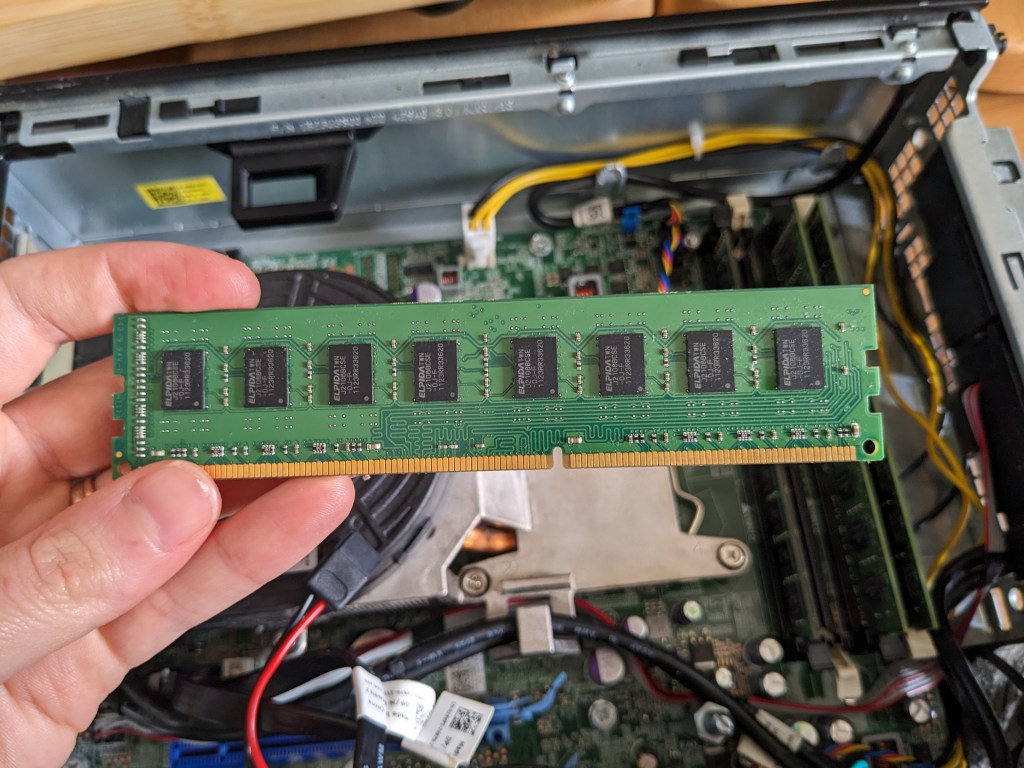
RAM – Random Access Memory – is a type of primary storage, as opposed to the solid state drive we talked about earlier which is secondary storage. This means that the CPU has direct access to it for its processes. It is typically used to store working data and machine code (not the sort of human-readable code I write – much closer to the metal!). It is called “random access” because the memory can be read and changed in any order.
I unseated and reseated the RAM. Still no power.
The Lightbulb Moment
By this point, I seemed to have exhausted all lines of enquiry. I sat back, closed my eyes, and laced my fingers together, invoking Sherlock Holmes. “When you have eliminated all which is impossible, then whatever remains, however improbable, must be the truth.”
I reviewed what I knew. The PSU worked. When tested, a light came on, and the fan was powered on. The fan is connected to the motherboard, not directly to the PSU, so power must be travelling through the motherboard…
But Terra never turned on. It never even tried.
It was like it simply wasn’t getting the message to turn on…
I sat bolt upright.
Suspect 8: The Power Button
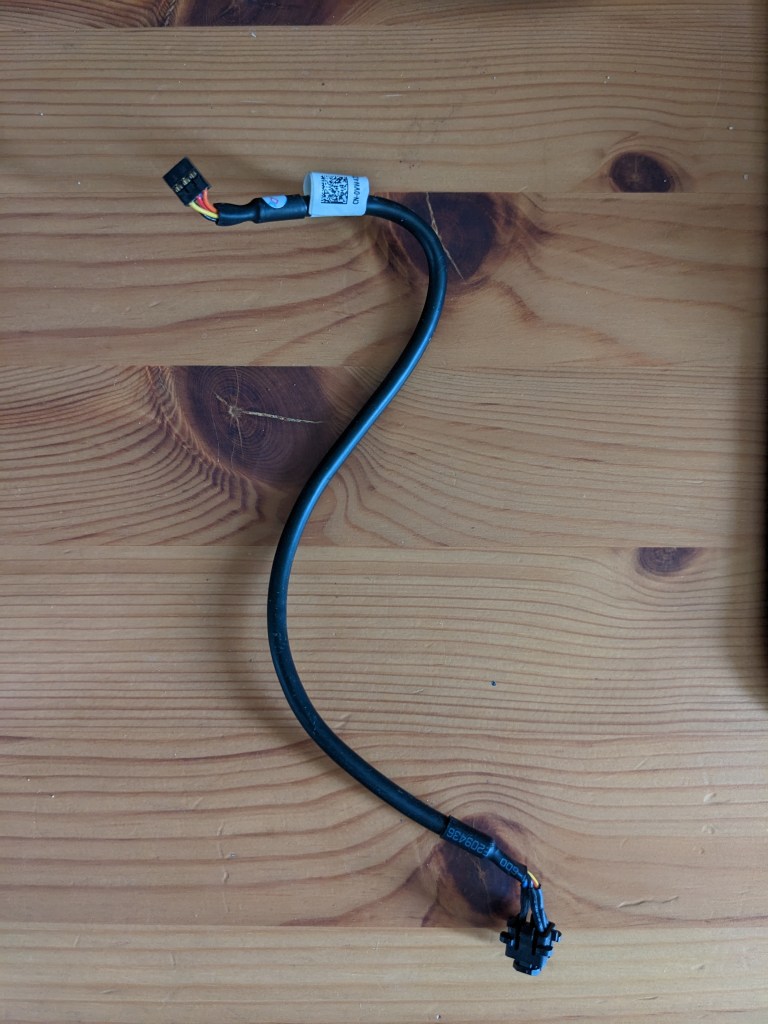
What if the power button wasn’t working? I investigated the mechanics of this. The power button is integrated with a cable that connects it to the motherboard. I wiggled the cable and button out of the case to have a look at it, to see if perhaps the button wasn’t engaging properly.
I plugged in the power, and pressed the button. Terra whirred back to life.
Stunned, I dropped the button. The power went off.
I picked up the button again, and tried pressing the button. Power on! I wiggled the cable: the power cut out.
This was definitely seeming like a dodgy connection.
Time to test this theory thoroughly. I ordered a replacement, which arrived today.
With bated breath, I removed the old cable and installed the new.
I plugged Terra back in, and turned the power on.
THE FLASH OF THE LIGHTS! THE UNBROKEN WHIR OF THE FAN! Oh what a joy to behold, what music to my ears.
Here I am, several hours later, typing this on Terra. It hasn’t died again… yet.
The Culprit(?)
Have I solved the crime? I think so, especially given the odd experience with wiggling the power button switch cable. I think the cable being dodgy (rather than outright dead) explains why I had a false start when I replaced the PSU. Somewhat like my theory with the connections – I think I had managed to nudge the cable into a position that had connected it up, but this had then later shifted and lost the connection.
BUT. I am still a little apprehensive, and hope I haven’t counted my chickens before they’ve hatched. I will let you know if there are any further developments…
I hope you enjoyed this murder mystery/learning opportunity! I was tearing my hair out for most of it, but am very glad to understand a lot more about the inner workings of these complex and marvellous machines.
 Cryptic Meg